What Are Custom Tasks?
Custom tasks are fully configurable giveaway requirements with a custom name, icon, verification method, and optional data collection fields. They fill gaps where no built-in task matches a specific community need. Participants complete the task exactly as the server owner designed it.
Custom tasks are a Business plan feature. Once a server is activated by a Business subscriber, all users in that server can create giveaways with custom tasks.
ScopliDrop is the only Discord giveaway bot that supports custom tasks. Its pre-built library already covers most common scenarios: follow a Twitter account, join a Discord server, watch a YouTube video, and dozens more. Custom tasks fill the gap when you need something specific to your community that no pre-built task covers.
Want participants to submit their Minecraft username? Collect customer emails to identify buyers? Verify a purchase by submitting an order ID? Custom tasks handle all of it.
What You Can Do With Custom Tasks
Custom tasks let you create requirements that no built-in task can cover. Here are some real examples.
Identify Customers
Collect customer emails or account usernames to match giveaway entries with real buyers or subscribers using the email field type with built-in validation.
Best for:
Verify Purchases
Ask participants to submit an order ID or screenshot URL after visiting your store page. Confirm real buyers enter your giveaway.
Best for:
Beta Signups
Drive traffic to a signup page and collect usernames for early access programs, playtests, or closed beta invites.
Best for:
Survey Responses
Ask participants a question and collect their answers. Gather community feedback while running a giveaway at the same time.
Best for:
The flexibility comes from three things: a custom name and icon, a verification method that fits the action, and optional fields to collect data from participants.
How Custom Tasks Work
Every custom task uses one of three verification methods. The method you choose determines what participants see and how completion is tracked.
| Verification Method | What Happens | Collects Data | Requires URL |
|---|---|---|---|
| Simple Honor | Participant visits a link, timer confirms they spent time on it | No | Yes |
| Data Direct | Participant fills out your custom fields immediately | Yes | No |
| Data Post-Link | Participant visits a link first, then submits custom fields | Yes | Yes |
Simple Honor
The participant clicks a button, gets redirected to your URL, and the task completes automatically after a minimum time has passed. This works well for actions where you just need someone to visit a page. No data is collected.
Best for: visiting a website, reading an announcement, checking out a product page.
Data Direct
The participant sees your custom fields right away and submits their responses. No external link is involved. This is the simplest method for collecting information.
Best for: collecting emails, usernames, survey answers, or any text-based input.
Data Post-Link
A two-step flow. The participant visits your link first, then returns and fills out your custom fields. This is useful when the data they submit depends on something they did on the external page.
Best for: submitting order IDs after a purchase, entering a signup email after registering, sharing a referral code, providing proof of an action on another site.
How to Create a Custom Task
- 1
Open the Template Builder
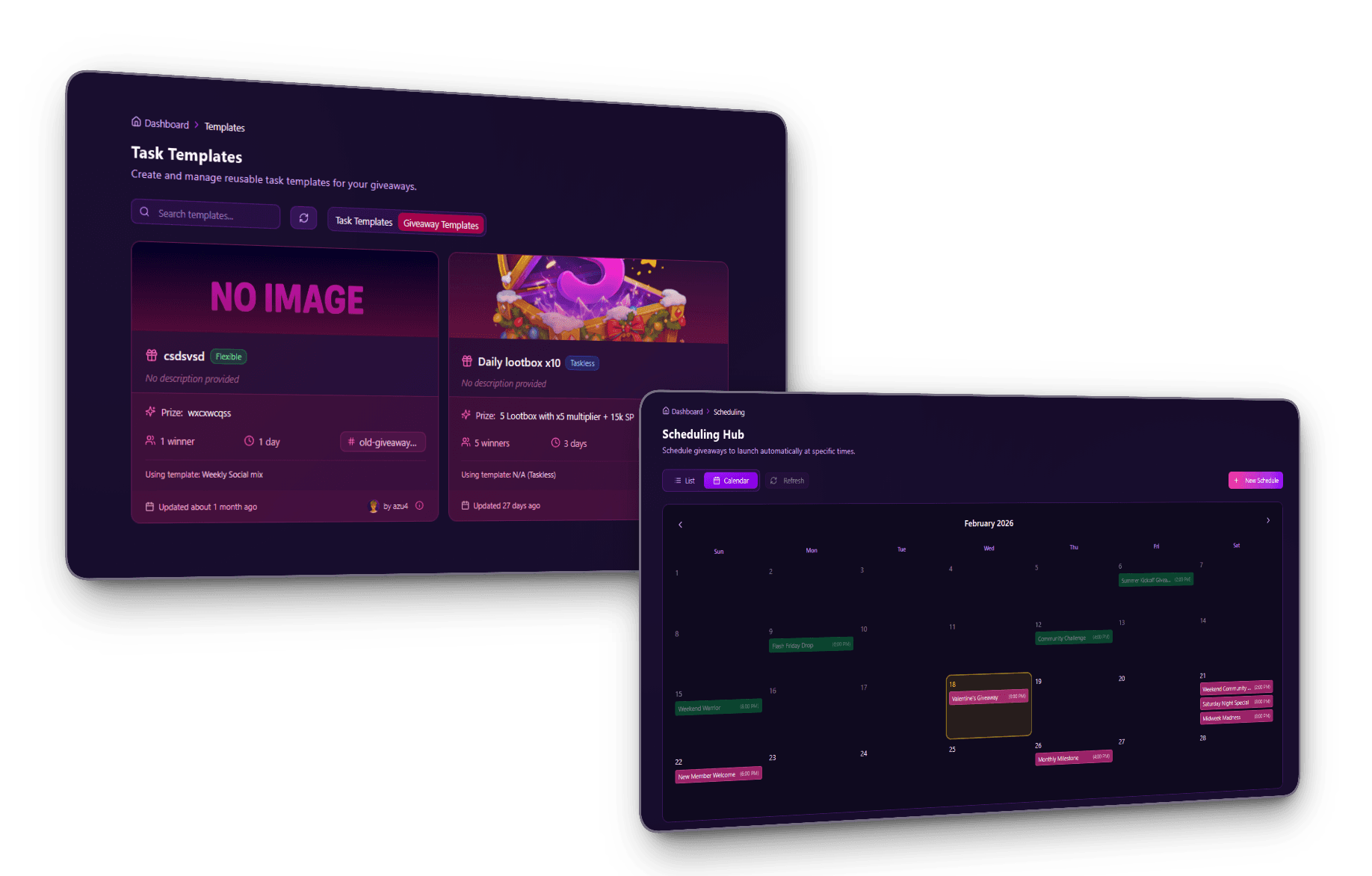
Go to your server dashboard, select a server, and open the Templates tab. Click Create Template to start building a new giveaway template with tasks.
- 2
Add a Custom Task
In the task picker panel, scroll to the Custom category and select Custom Task. It appears highlighted in blue.
- 3
Set the Task Name and Icon
Enter a custom name for your task (up to 50 characters). This is what participants will see. Then pick an icon from the icon library to match the task visually.
- 4
Choose a Verification Method
Select one of the three methods: Simple Honor (link + timer), Data Direct (collect data immediately), or Data Post-Link (visit link, then submit data). Your choice determines the participant experience.
- 5
Configure Fields and URL
If your method requires a URL, enter the destination link. If your method collects data, add up to 3 custom fields. For each field, set a label, placeholder text, field type (text, email, or URL), and whether it's required.
- 6
Add an Admin Note (Optional)
Write a short note (up to 250 characters) that participants see when completing the task. Use this for specific instructions or warnings, like "Make sure you upvote before submitting or your entry will be disqualified" or "We'll use your email to send the prize and add you to our newsletter."
- 7
Use the Template in a Giveaway
Create a giveaway using your template. The custom task appears alongside any other tasks you've added. Set its point value and whether it's mandatory or optional.
Custom Field Configuration
When your verification method collects data (Data Direct or Data Post-Link), you configure custom fields that participants fill out.
Field Types
| Type | What It Does | Validation |
|---|---|---|
| Text | Free-form text input | None |
| Email address input | Automatic email format check | |
| URL | URL input | Automatic URL format check |
Limits
- Maximum 3 fields per custom task
- Label: up to 100 characters
- Placeholder: up to 50 characters
- Each field can be marked as required or optional
Write clear, specific labels. "Enter your Minecraft Java username" is better than "Username." The label is the first thing participants read, so make it obvious what you're asking for.
Collected Data
All submitted data is stored securely alongside the giveaway entry. You can review responses from the dashboard after the giveaway ends. Email and URL fields are validated automatically, so participants can't submit malformed entries.
If you collect personal information like emails, wallet addresses, or order IDs, use the admin note to tell participants what you'll do with their data. Under GDPR and similar privacy laws, users must know why their data is being collected before they submit it. Something like "We'll use your email to send the prize and add you to our newsletter. You can unsubscribe anytime." Keep it honest and specific. See the ScopliDrop Privacy Policy for how submitted data is stored.
Save a Field to Your CRM
By default, a field's data lives on that single giveaway's entry. But you can permanently link a field to your CRM instead. Each field has a Save to Data field option. Pick one of your reusable CRM Data fields there, and every value that field collects flows into the member's profile, across every giveaway you run.
This is what turns one-off collection into a lasting asset. A field saved to your Email Data field collects onto the same person whether they enter today's giveaway or one six months from now. The data accumulates onto the member, not the giveaway, so you end up with a contact database you own and can reach again. Unlinked fields stay local to the giveaway, which is exactly what you want for throwaway survey questions. For the full picture of profiles, exporting, and reaching your audience, see the participant CRM built into ScopliDrop.
Linking a field locks its input type to match the Data field and marks it required, so the data is clean before it ever reaches a profile. It's a Business plan feature, alongside custom tasks.
Use Case Ideas
Custom tasks work for any community type. Here are ideas organized by category.
Gaming Communities
- Fortnite Creator Code: Create a task called "Use our Creator Code." Link to the Fortnite Item Shop with Data Post-Link. Participants buy something, then come back and paste their order confirmation or receipt screenshot URL. You verify real support, not just empty promises.
- Collect in-game usernames: Run a Minecraft or Roblox giveaway. Use Data Direct with a text field labeled "Your Minecraft username." You get the username to send prizes directly or verify they're actually on your game server.
- Game beta signups: Link to your playtest registration page with Data Post-Link. After signing up, participants submit the email they used. You now have a verified list of testers and giveaway entries in one place.
Content Creators
- Identify subscribers: Use Data Direct with an email field. Participants enter the email tied to their Patreon, Ko-fi, or membership account. You match entries to real supporters instead of relying on Discord usernames alone.
- Patreon or Ko-fi support: Link to your Patreon page with Data Post-Link. After subscribing, participants come back and paste their supporter username. You confirm they actually signed up instead of just clicking through.
- Content feedback: Use Data Direct with a text field like "What video topic should we cover next?" You collect real opinions from your community while they enter the giveaway.
Brands and Stores
- Shopify purchase verification: Link to a product page with Data Post-Link. After buying, participants paste their order ID. You confirm real customers entered your giveaway, not random clickers.
- Reward loyal customers: Use Data Direct and ask for an order ID from a past purchase. Only people who already bought from you can enter. Great for customer appreciation giveaways.
- Product page traffic: Link to a new product launch with Simple Honor. Participants visit the page and spend time on it. No data collected, just guaranteed eyes on your product.
Web3 Projects
- Allowlist collection: Use Data Direct with a text field for wallet addresses. Participants paste their address to enter. You build your allowlist directly from giveaway entries.
- Mint verification: Link to your mint page with Data Post-Link. After minting, participants submit their transaction hash. You verify on-chain that they actually minted.
General
- Top.gg bot upvotes: Link to your bot's Top.gg page with Data Post-Link. Participants upvote the bot, then come back and submit their Top.gg username as proof. You boost your bot's ranking and verify real votes instead of trusting empty clicks.
- App registration: Link to your app's signup page with Data Post-Link. After creating an account, participants submit their username. You verify real signups and grow your user base through giveaways.
- Community surveys: Use Data Direct with a text field like "What feature should we build next?" Quick feedback collection built into the giveaway flow.
- Rules acknowledgment: Link to your server rules or terms page with Simple Honor. Participants read the page before they can enter. Simple way to make sure people saw the rules.
Summary
| Feature | Details |
|---|---|
| Availability | Business plan (server activation) |
| Custom name | Up to 50 characters |
| Custom icon | Icon picker library |
| Verification methods | Simple Honor, Data Direct, Data Post-Link |
| Custom fields | Up to 3 per task |
| Field types | Text, Email, URL |
| Admin note | Up to 250 characters, shown to participants |
| Data validation | Automatic for email and URL fields |
Get Started With Custom Tasks
Custom tasks are available on the Business plan. If you're already on Business, head to the template builder and start creating. If you're exploring ScopliDrop for the first time, the free tier includes 55+ built-in tasks to get you started.